
One of the most frustrating things about watching IPTV is when the picture freezes a lot. Why does IPTV freeze or buffer? Here are the methods you can try right away:
- Make sure your internet speed is at least 100 Mbps — the faster, the better. Open a browser on your smart TV and run a network speed test, like the one below.
- Restart your router and your IPTV device.
- Use a wired connection.
- Try installing a different IPTV app.
- Delete the old M3U list, the account and the app cache.
- Try an Android box or a TV stick.
- Switch networks.
- Contact customer support.
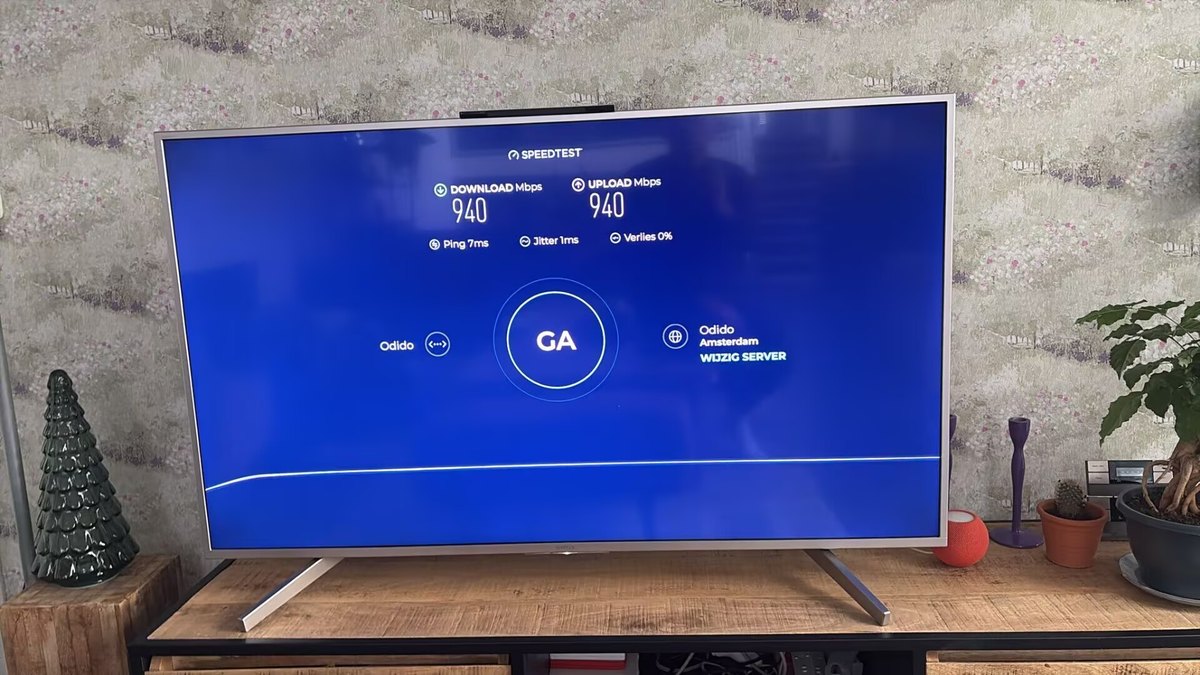
If you want to know more about what causes stuttering or buffering with IPTV, read the detailed analysis below. For every problem we also give you a solution.
1. Network connection problems
This type of problem is relatively common. Try these three approaches:
- Check your internet speed; it is generally at least 100 Mbps. Especially if several devices are connected, or if you want to watch 4K/UHD video, the requirements are higher.
- Restart the router and the IPTV device several times; that can resolve temporary network problems.
- Consider a wired connection instead of wifi; that gives you a more stable network.
2. Problems with the IPTV app
The IPTV app itself can also be the problem. Think of an app that is not optimised for your device, memory usage that is too high, or simply not enough memory — all of which make IPTV freeze or buffer. In that case, delete the old M3U list, the account and the app cache, reinstall the app and set it up again, or try a different IPTV application (for example Ibosol, Ibox Player, IBO Player, Bob Player, Vivo Player, SmartOne or Hot IPTV).
3. Smart TVs or devices without enough memory
Some smart TVs don’t have enough memory to play IPTV smoothly. Delete unnecessary apps and the device app cache, or add an Android box or TV stick: install the IPTV app and connect the device to the TV.
4. Network blocking
You can try different networks, such as mobile 4G/5G, to see whether your wifi or broadband network is being blocked. If you see similar problems there, restart your router a few times.
5. Hacked account
When you use unknown sources or free apps, there is a chance your account gets hacked. If you have tried the methods above and the problem is still not solved, contact customer support to set a new password, and set the app up again on your device.
6. Blocks by the server firewall
The server firewall can also be the cause. Tell us your device, the app you use, your provider and your IP address; we will then check whether your account is being blocked by our server firewall. This is rare, but our technicians will help you fix it quickly.
7. Other issues
If none of the solutions above fixes the network block or the freezing, contact us. Together we’ll see whether a different DNS or a VPN app helps.
These are the causes of IPTV freezing and buffering, with a solution for each problem.
Still stuttering? Besides the tips above, more powerful hardware — a faster Android TV box or better TV box hardware — can reduce buffering.
Check out our introduction and the various subscription options. We offer a stable service and have years of experience. Try our service and enjoy a smooth, uninterrupted IPTV experience without buffering.
Below are some of our popular blog articles: